

Vision AI / Farm managers & agricultural teams
Review visible field conditions
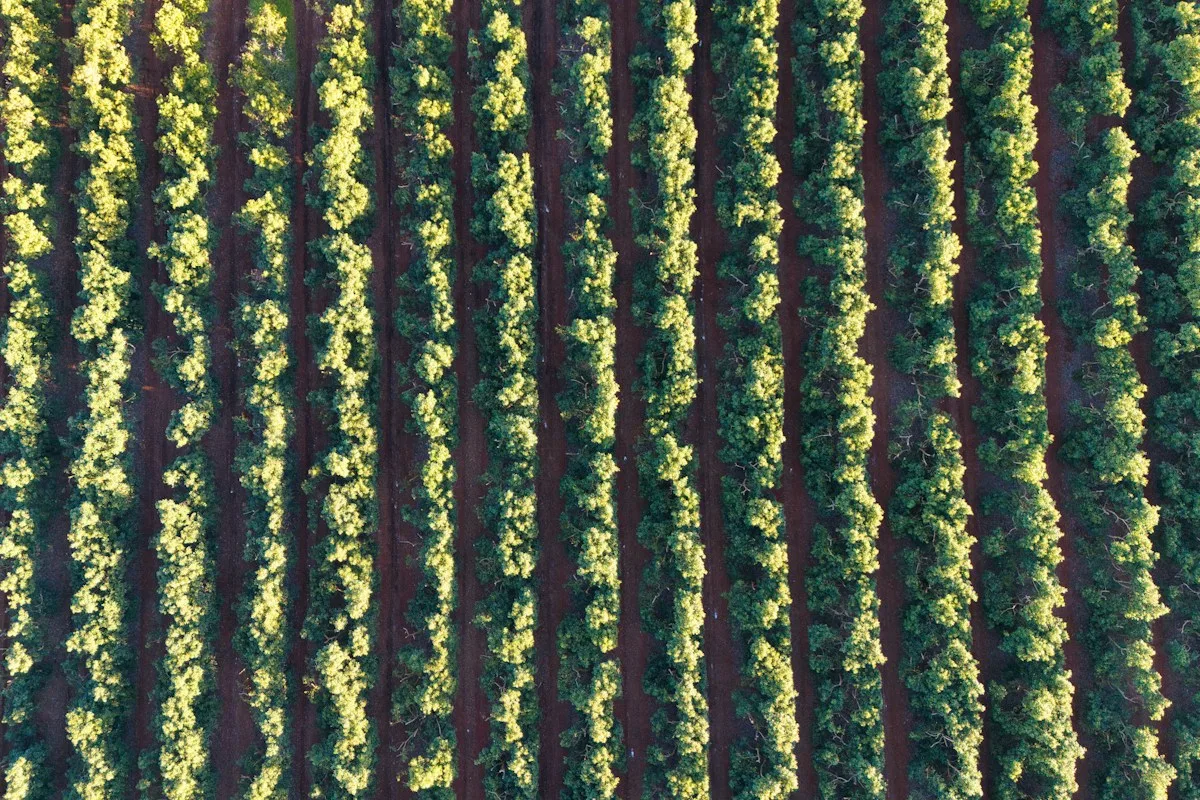
Ask the field-review agent to describe visible bare patches, debris, and uneven crop appearance in supplied imagery.
Agent template: Field image review
01 / The context
The business challenge
Field photographs capture useful visual variation, but lighting, perspective, and image quality can change how that variation appears. Observations need to remain tied to what the image shows.
02 / From input to review
How it works in Qvantus
- 01
Your input
A ground or aerial field image with instructions describing the visible features your team wants to inspect.
- 02
The Qvantus workflow
Select Field image review and use the local visual model to review the image against your criteria.
- 03
The result to review
Read the observations alongside the original image and decide which areas need a closer field inspection.
03 / A practical scenario
What this looks like in practice
Review a crop image for visible gaps in planting and uneven appearance before arranging an on-site check.
04 / The value
Why it matters
Use an advisory image review to focus follow-up observations. It describes visible patterns without diagnosing crop disease, recommending chemicals, measuring geographic area, or controlling a drone.
What to measure in a pilot
Agreement with field reviewers on visible features and the relevance of follow-up observations.
Agree on the review criteria before the first run. Use representative examples and compare the output with a human-reviewed reference before expanding the workflow.
More Vision AI use cases
All use cases
Inspect product quality
Turn product images into a repeatable visual inspection workflow, with detections your team can review.
Explore use case
Check shelves and displays
Check visible product counts in a selected shelf area and surface exceptions for store teams.
Explore use caseCount packages and pallets
Use visual counts to check a loading area, staging zone, or packing station against your own rules.
Explore use case